Daily currency conversion
Convert local prices into your home currency using automatically updated exchange rates.
Everything in one place
From the shelf price to the amount on your card statement, How Much Travel helps you understand and organise the full cost.
Convert local prices into your home currency using automatically updated exchange rates.
Include local tax with a concise source summary, or enter a custom tax rate.
Save card issuers, billing currencies and foreign transaction fees. A 0% Default Card is always ready.
Add tips, service charges and bill splits to see the amount each person really pays.
Name a shop, restaurant, attraction or other location on every saved purchase.
Organise purchases by holiday and change or delete trips whenever your plans change.
Search and filter transactions, then review trip totals and spending by category.
Explore spending over time, compare categories and select a chart category to see its matching top vendors.
Use the app in English, French, German, Italian, Spanish, Dutch or Portuguese (Brazil).
Enter what your card actually charged while keeping the local price, and the implied conversion updates automatically.
Set a budget in your home currency and see how much has been spent as your trip unfolds.
Create categories that match the way you travel and make summaries more personal.
Paste a copied price directly into the calculator when browsing or booking on your phone.
Watch quick Standard and Pro walkthroughs inside the app or on this website.
Add your travel group, choose equal or custom shares and record who paid for each purchase.
Add reusable family members to a trip, choose the family settlement payer and view clear household-to-household balances.
Invite other travellers to a Shared Trip so purchases, edits, deletions, members, balances and repayments stay in sync.
After joining, each traveller selects their own name under “Who are you?” so their phone is linked to the correct member.
See who owes whom, record repayments and share a clear balance summary with the group.
Optionally receive an alert when another member adds a shared purchase or records a repayment.
Export and restore a Shared Trip backup, including its purchases and balances.
Shared Trips • Pro
Set up the group once, connect each traveller to their name, then keep purchases and balances clear throughout the trip.
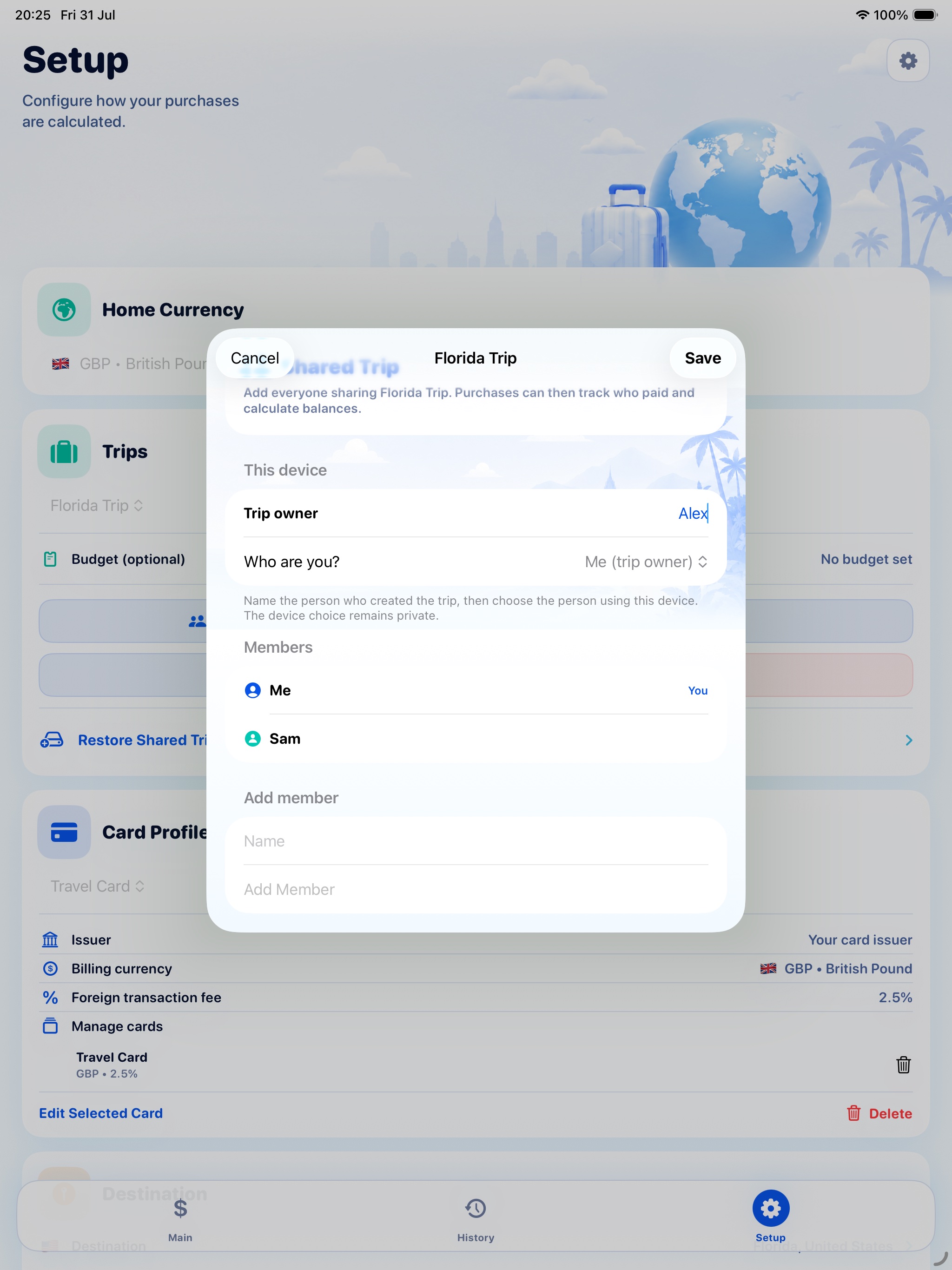
Add every traveller and choose the usual equal or custom split.
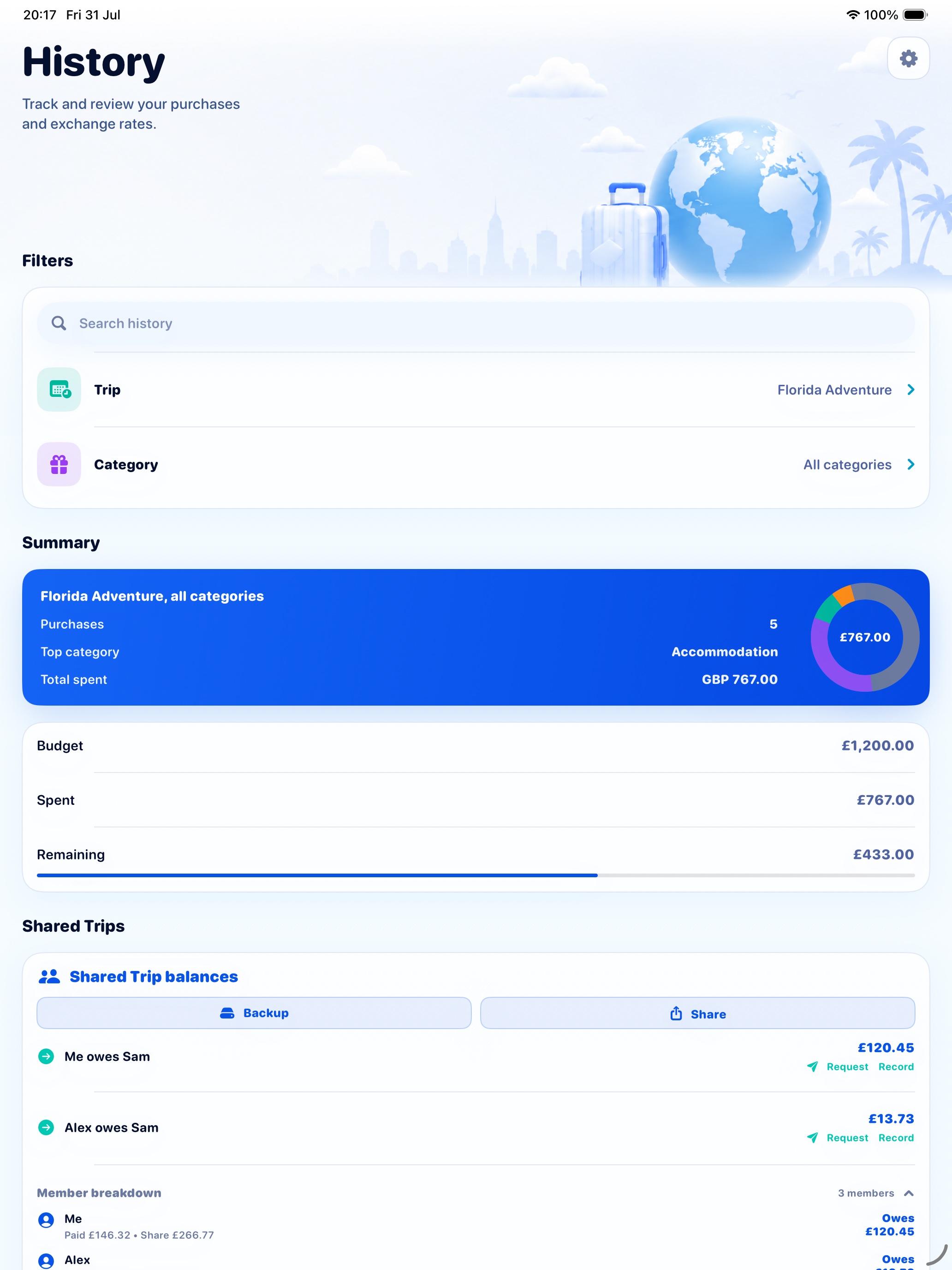
Each invited traveller accepts the iCloud share, opens the trip on their device and selects their own name under Who are you?
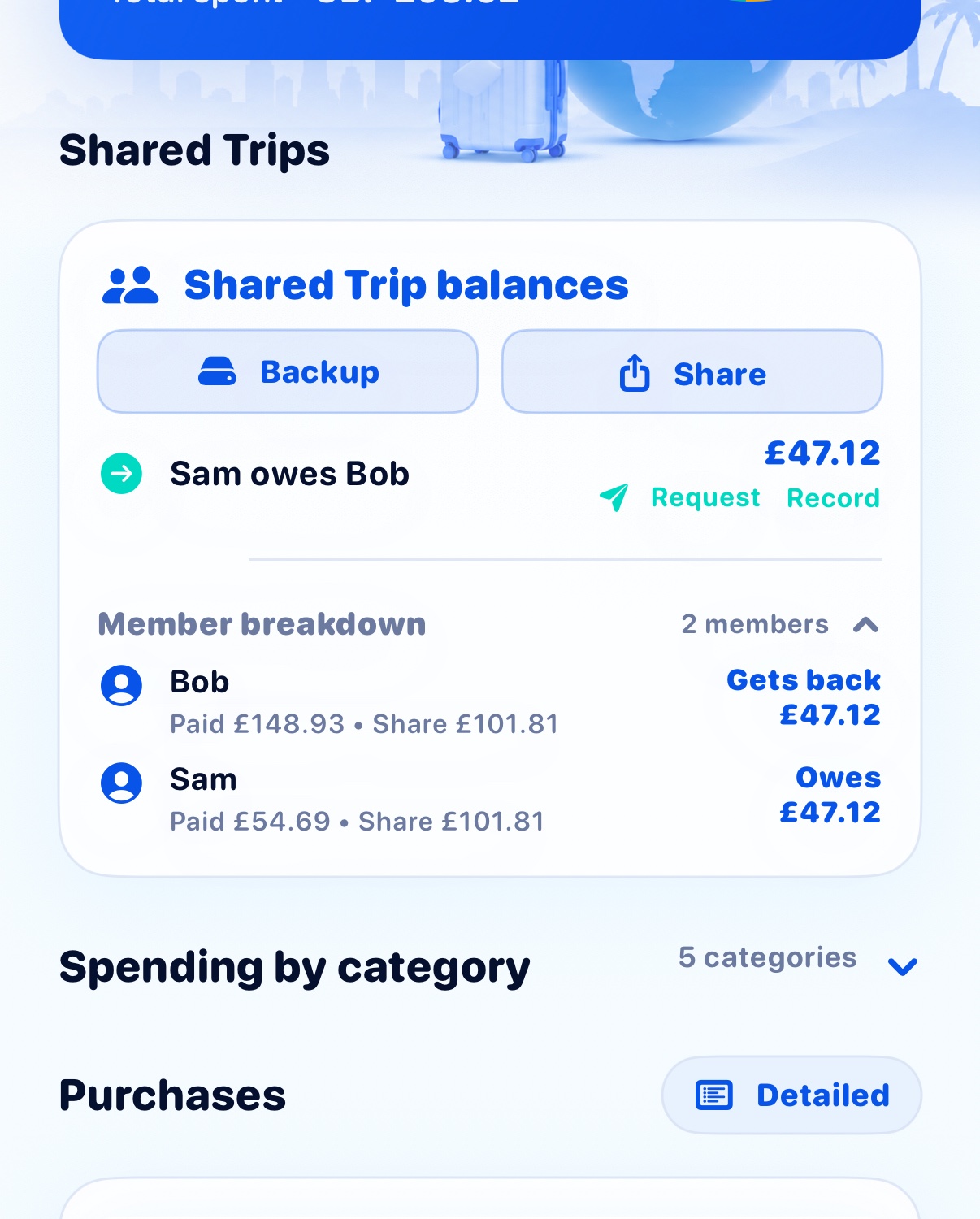
See who paid, who shared each purchase and the simplest way for everyone to settle.
Choose what suits your trip
Every supported country and every core calculation is available for free. Pro expands how much you can save and customise.
| Feature | Standard | Pro |
|---|---|---|
| All supported countries | Included | Included |
| Currency, tax and card fee calculation | Included | Included |
| Vendor or place naming | Included | Included |
| Custom tax | Included | Included |
| Saved transactions | Up to 5 | Unlimited |
| Trip budgets | — | Included |
| Custom categories | — | Included |
| Edit and delete transactions | — | Included |
| Shared Trips and group balances | — | Included |
| Family groups and household balances | — | Included |
| iCloud collaboration and notifications | — | Included |
| Shared Trip backup and restore | — | Included |
| Price | Free | £2.99 once |
Download How Much Travel on the App Store.